Custom web appsVienna
When work is spread across different tools, running the business gets harder. We build custom web and mobile apps for businesses and their customers — from booking systems to tailored online tools.
- Built around your workflow
- Customer + team connected
- Clear roles & permissions
- 09:10VIE → CityM. HuberConfirmed
- 09:40VIE → HotelL. WagnerAssigned
- 11:15VIE → CityM. BraunOn the way
- 12:30Hotel → VIEH. MüllerPending
- 14:05VIE → CityS. KellerConfirmed
What we build: booking systems, dispatch dashboards, customer portals, internal tools, web and mobile apps, and connections to the tools you already use.
A real project example
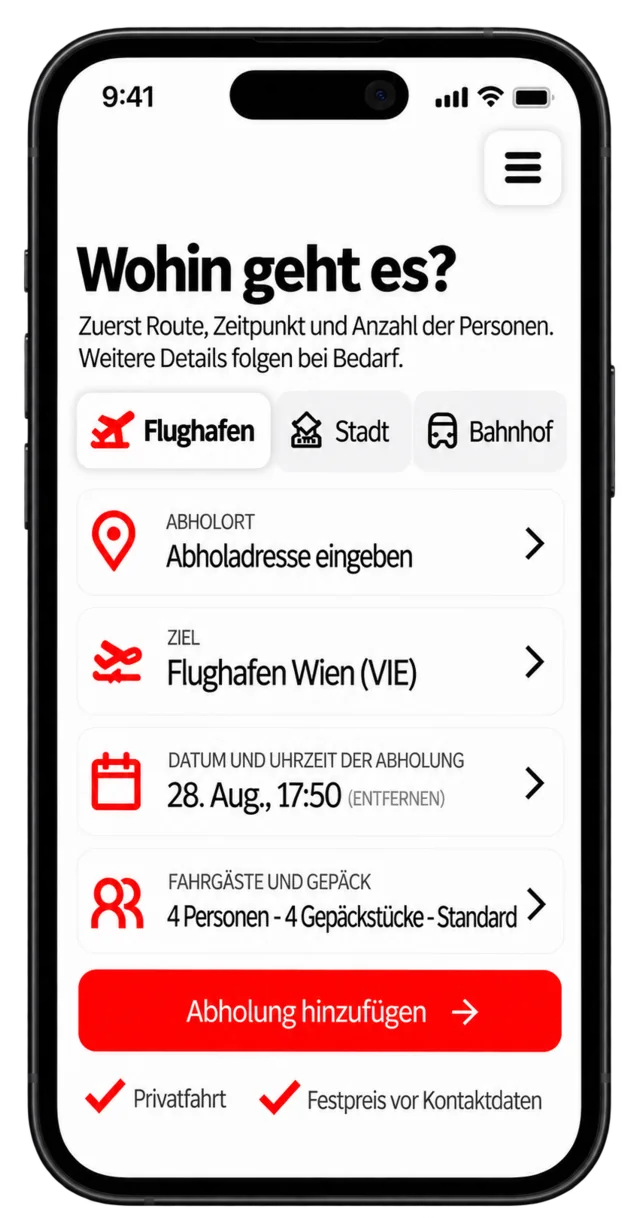
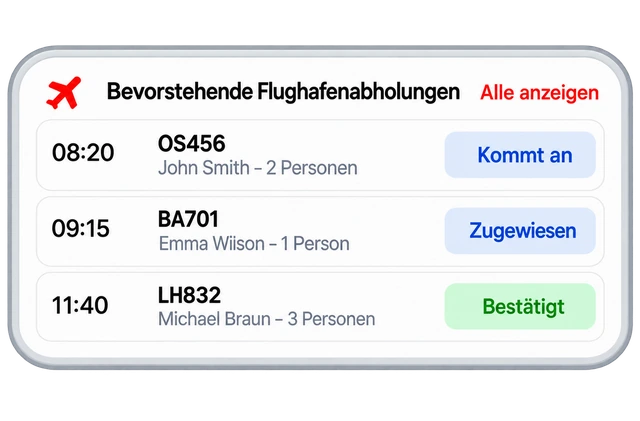
Book a transfer on the customer side and watch it arrive in dispatch. This is how the taxi booking system from one of our projects works — simplified for this page.
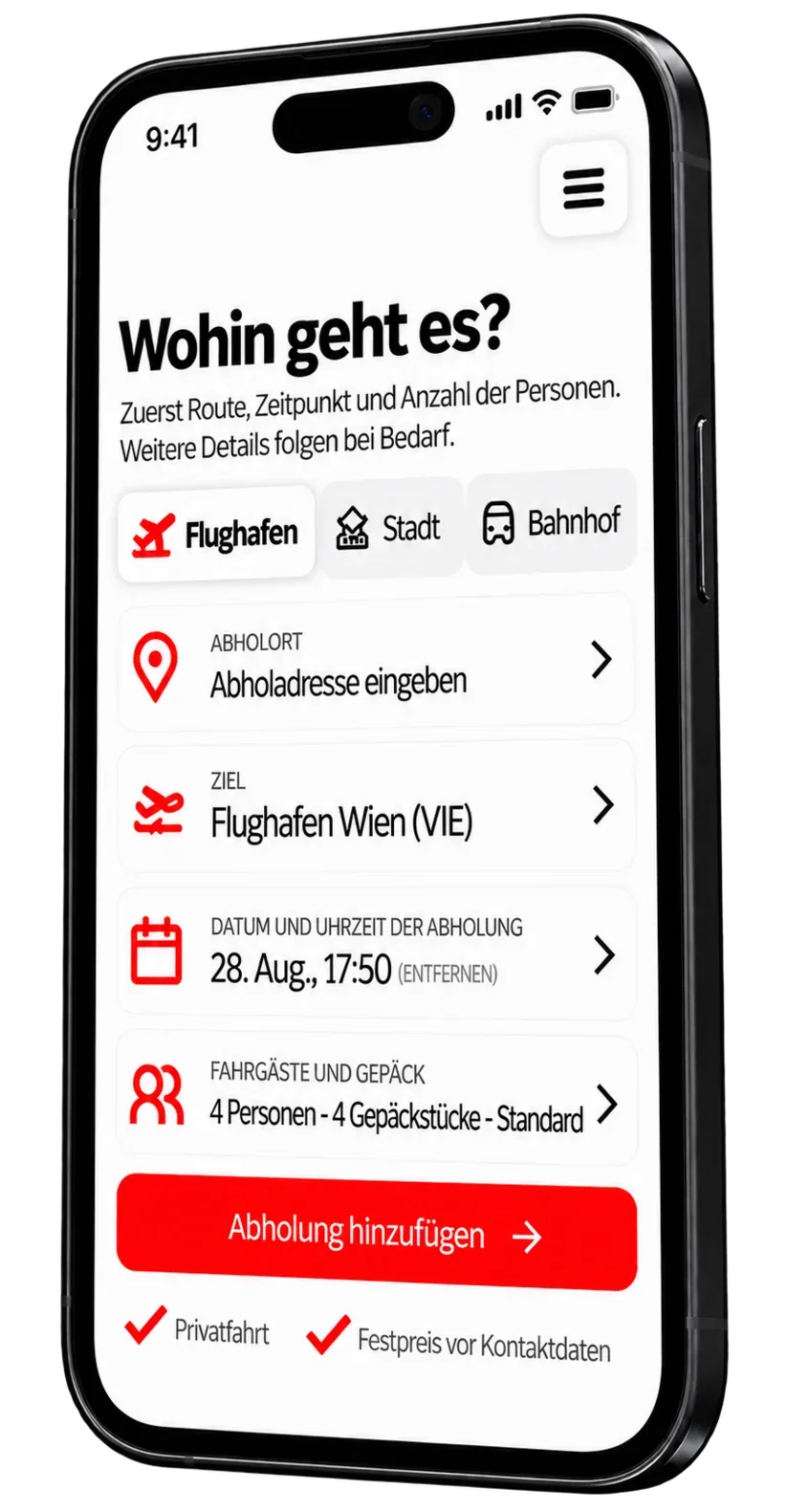
Customer web app
Airport transfer
Where are you going?
Enter the ride once. Dispatch receives the same booking.
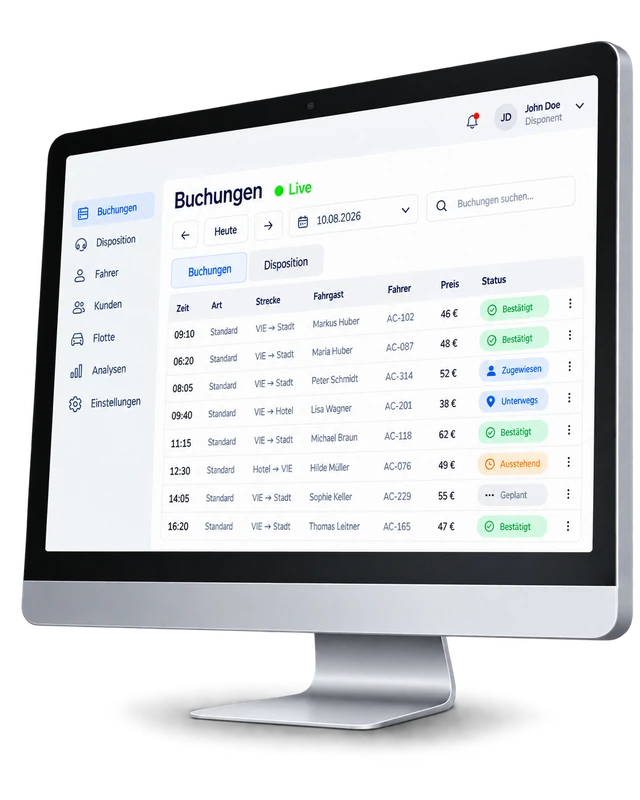
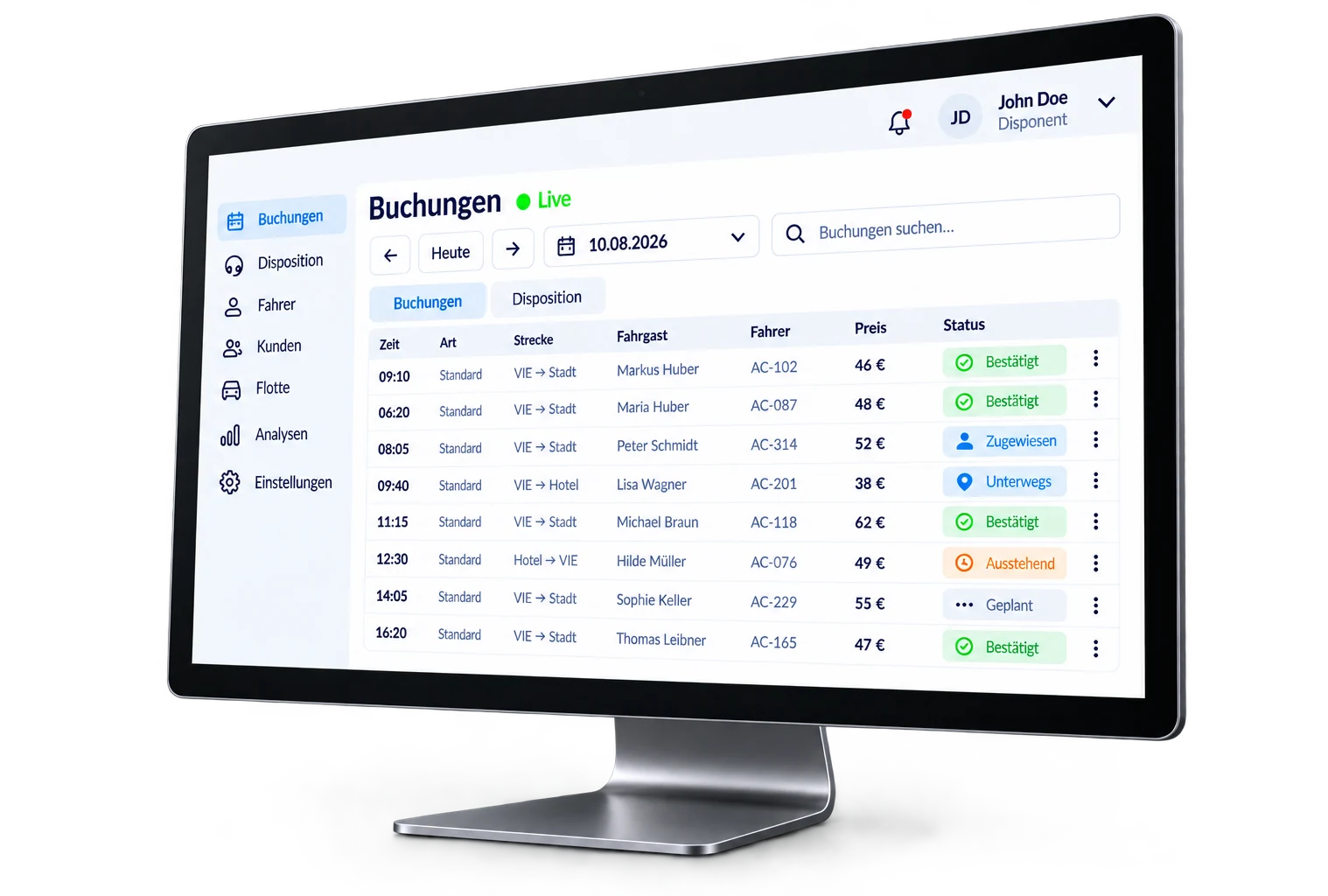
Dispatch dashboard
- 09:10VIE → CityM. HuberAC-102Confirmed
- 09:40VIE → HotelL. WagnerAC-201Assigned
- 11:15VIE → CityM. BraunAC-118On the way
- 12:30Hotel → VIEH. Müller—Pending
Interactive example · simplified and not connected to a live system.
- 01 · Booking
Customer enters the trip once.
Pickup, destination, date, flight and passengers go into one booking instead of being copied between messages or tools.
- 02 · Dispatch
The office works from the same record.
Dispatch can review the trip, correct details and coordinate the booking from one dashboard.
- 03 · Status
Changes stay attached to the trip.
Updates, booking status and the information the team needs remain connected to the same job.
How an app takes shape
We follow one ride from booking to dispatch — and let the real workflow shape the app.
Talk
Map the booking as it works.
We walk through what happens from the moment a passenger requests an airport transfer to the point dispatch can act on it. That shows which details matter, who needs access and where handoffs go wrong.
Starting pointThe users, booking details and handoffs the first version has to support.
Plan
Connect the customer side to dispatch.
We decide what the customer enters, what dispatch sees, which details can change and how the booking moves through its statuses.
Workflow mapOne booking flow with clear roles, statuses and edit points.
Data
Structure the information behind the app.
Before the screens can work together, we define what the system stores and how the records connect — bookings, customers, drivers, vehicles, trip details and statuses.
Data structureA clear model for the records, relationships and information the app needs.
This is also where we decide which data belongs together, what can change and who is allowed to see it.
Build
Make one booking work across both sides.
We connect the screens to the same data, add the right access rules and test what happens when a booking is created, edited or updated.
Working versionA live flow from customer booking to dispatch management.
Flight data, payments, notifications or an existing tool to connect? We check those requirements early, not at the end.
Launch
Test the situations that happen in real bookings.
Before release, we run through the cases dispatch actually deals with — changes, missing details, cancellations and different access levels.
Release readyA first version ready for real bookings and team feedback.
Not only taxis
We use the airport-transfer project because it shows a workflow end to end. The same approach works for internal tools, customer portals, booking systems and more.
- 01
Booking systems
Customers book once; your team sees it straight away.
![]()
- 02
Dispatch & scheduling
Assign people, vehicles or time slots from one live view.
![]()
- 03
Customer portals
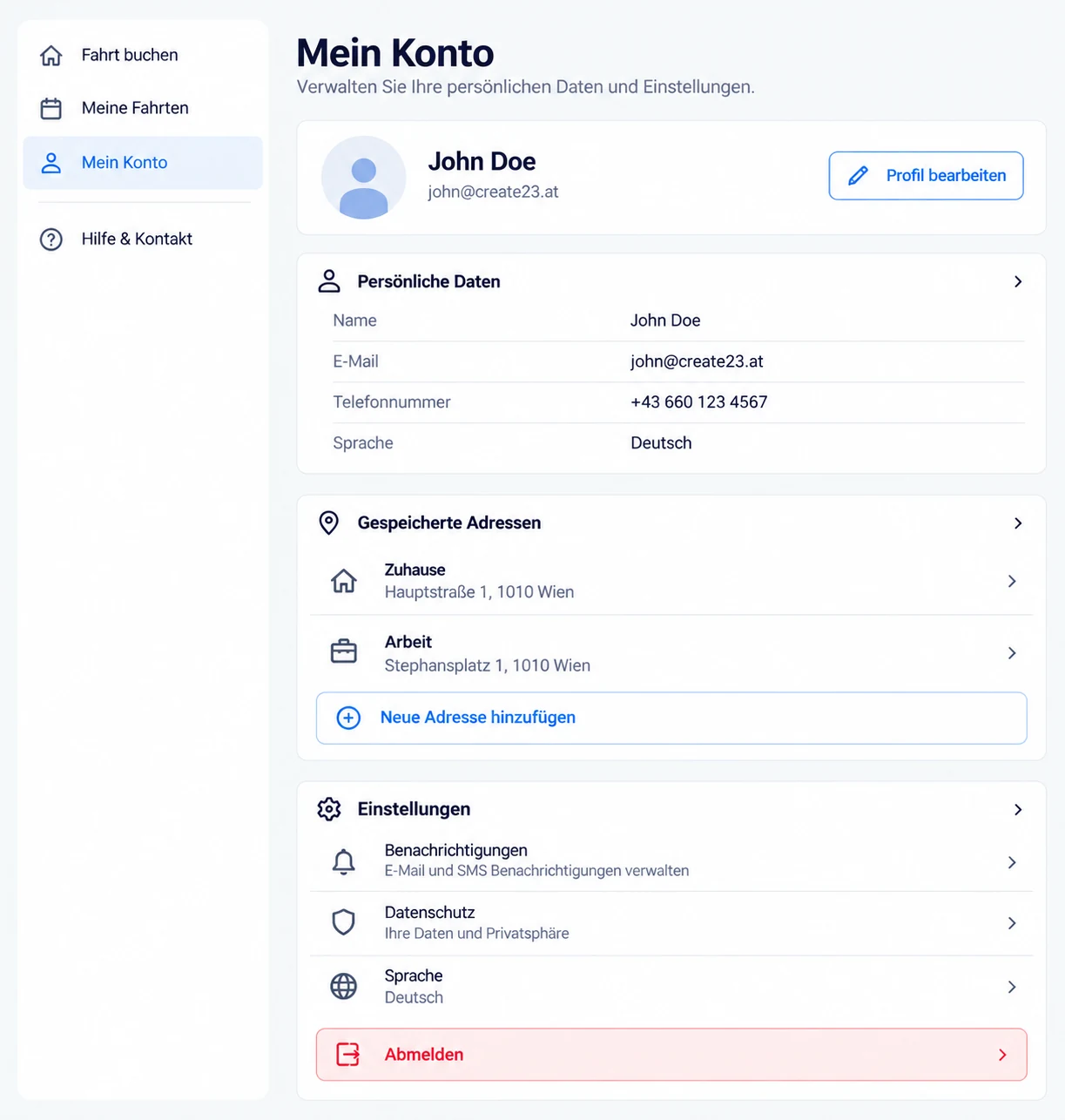
Let customers sign in, see their history and manage their own requests.
![]()
- 04
Internal tools
Replace the spreadsheet everyone is afraid to touch with a tool built for the job.
![]()
- 05
Dashboards & reporting
See the numbers the business runs on without exporting anything.
![]()
Taxi booking app
Explore the booking flow, the dispatch dashboard and the real workflow logic — the same system this page is built around.
Before we start
Questions that usually come up when a real workflow becomes a working app.
For a booking app, the price depends on the booking flow, user roles, stored data and any integrations. We define the useful first version first, then quote the work and separate any recurring or third-party costs.
We agree on a schedule once the first booking flow and user roles are clear. Integrations, existing data and review time can affect the pace.
No. We use the airport taxi project here because it makes the workflow easy to see from end to end. We are available for other custom app projects, including internal tools, customer portals, booking systems and workflows built around the way your business operates.
No. A custom app can be a project on its own. A website is useful when customers also need public information about the business before they use the app.
In this example, the customer booking flow is designed for phones while dispatch is better suited to a larger screen. We plan each interface around the devices people will actually use. App Store releases, offline use or phone-specific features are separate requirements to assess.
Potentially. A booking workflow might need payments, notifications, flight information or an existing business system. Whether a connection is possible depends on the service, its API, permissions and subscription terms.
A customer account and a dispatch account should not have the same access. We define who can view or change booking data, then scope authentication, permissions and the relevant safeguards around that real workflow.
Yes. Once the first version is handling real bookings, it becomes much easier to judge whether features such as payments, automated notifications, reporting or additional user roles are worth adding. Later work is scoped separately.
Reduce the friction
Show us how it works today. A few real steps are enough — we can work out what should be connected, simplified or automated.